What is a Pwnagotchi?
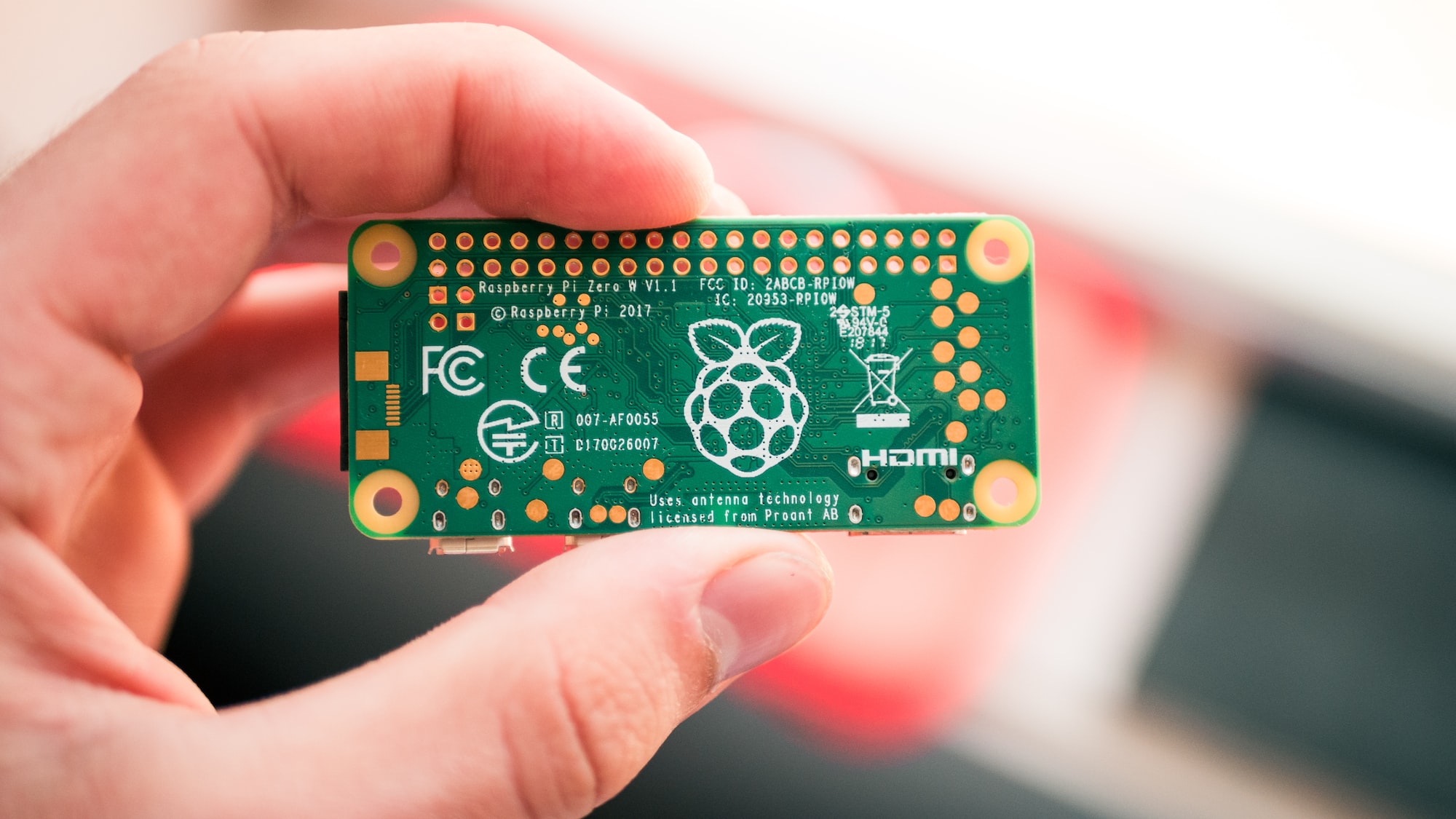
A Pwnagotchi is an AI-powered WiFi security auditing tool that runs on a Raspberry Pi. Think of it as a digital pet that learns from its environment—except instead of needing food, it feeds on WiFi handshakes.
Built on bettercap and using A2C (Advantage Actor-Critic) reinforcement learning, Pwnagotchi gets smarter over time. The more you use it, the better it becomes at capturing WPA/WPA2 handshakes for security analysis.
Important: Pwnagotchi is designed for authorized security testing only. Always obtain proper permission before testing any network you don’t own.
How Does Pwnagotchi Work?
Pwnagotchi uses two primary methods to capture WiFi handshakes:
1. Passive Sniffing
The device monitors WiFi traffic passively, waiting for devices to naturally connect to networks. When a device authenticates, Pwnagotchi captures the handshake without any active interference.
2. Deauthentication Attacks
When passive sniffing is too slow, Pwnagotchi can send deauthentication packets to force devices to reconnect. This triggers a new handshake that can be captured for analysis.
The captured handshakes are stored as PCAP files, which you can later analyze with tools like:
- Hashcat - GPU-accelerated password cracking
- Wireshark - Network protocol analyzer
- aircrack-ng - WiFi security auditing suite
The AI Component
What makes Pwnagotchi unique is its reinforcement learning AI. The device:
- Observes the WiFi environment (network density, channel usage, signal strength)
- Takes actions (switching channels, targeting specific networks)
- Learns from results to optimize future captures
- Develops a personality based on its experiences
Over time, your Pwnagotchi literally gets better at its job. It learns which strategies work best in different environments.
Hardware Requirements
Essential Components
| Component | Purpose | Estimated Cost |
|---|---|---|
| Raspberry Pi Zero W | Main board with WiFi | $15-20 |
| 32GB+ MicroSD Card | Storage for OS and captures | $8-12 |
| USB Data Cable | Connection to computer | $5 |
Total minimum cost: ~$30
Recommended Additions
| Component | Purpose | Estimated Cost |
|---|---|---|
| Waveshare 2.13” e-Paper HAT | Display for stats/face | $15-25 |
| USB Battery Pack (10000mAh+) | Portable operation | $15-25 |
| 3D Printed Case | Protection | $10-20 |
| External WiFi Adapter | Extended range | $20-40 |
Raspberry Pi Compatibility
Pwnagotchi works best with:
- Raspberry Pi Zero W (recommended) - Low power, built-in WiFi
- Raspberry Pi Zero 2 W - More processing power
- Raspberry Pi 3/4 - Overkill but works
The Pi Zero W remains the most popular choice due to its small size and low power consumption—perfect for portable security testing.
Setting Up Your Pwnagotchi
Step 1: Download the Image
Download the latest Pwnagotchi image from the official releases page.
Step 2: Flash the SD Card
Use a tool like Balena Etcher or Raspberry Pi Imager to flash the image to your SD card.
Step 3: Initial Configuration
Before first boot, create a config.toml file in the boot partition:
main.name = "your_pwnagotchi_name"
main.lang = "en"
main.whitelist = [
  "your_home_network_ssid"
]

ui.display.enabled = true
ui.display.type = "waveshare_2"
Step 4: First Boot
- Insert the SD card into your Pi
- Connect via USB to your computer
- Wait 5-10 minutes for initial setup
- Access the web UI at
http://10.0.0.2:8080
Step 5: SSH Access
Connect via SSH for advanced configuration:
ssh [email protected]
# Default password: raspberry
Change the default password immediately after first login.
Understanding the Display
The e-Paper display shows your Pwnagotchi’s “face” and stats:
- Face expressions indicate mood (happy when catching handshakes, bored when idle)
- CH - Current WiFi channel
- APS - Access points seen
- STA - Client stations detected
- PWND - Number of handshakes captured
- UPS/DOWNS - Training epochs (how much it’s learned)
Analyzing Captured Handshakes
After collecting handshakes, you can analyze them for security testing:
Using Hashcat
# Convert PCAP to Hashcat format
hcxpcapngtool -o hash.hc22000 captured.pcap

# Run dictionary attack
hashcat -m 22000 hash.hc22000 wordlist.txt
Using aircrack-ng
aircrack-ng -w wordlist.txt captured.pcapRemember: Only analyze handshakes from networks you own or have explicit permission to test.
Best Practices for Ethical Use
Pwnagotchi is a powerful tool that must be used responsibly:
Do:
- Test your own networks to identify weaknesses
- Use in authorized penetration testing engagements
- Learn about WiFi security in controlled environments
- Whitelist networks you don’t want to target
Don’t:
- Target networks without explicit permission
- Use in public spaces without authorization
- Attempt to crack passwords of networks you don’t own
- Share captured handshakes publicly
Unauthorized access to computer networks is illegal in most jurisdictions. Always ensure you have proper authorization before conducting any security testing.
Pwnagotchi Plugins
Extend functionality with community plugins:
- GPS - Log location data with captures
- Discord/Telegram - Get notifications
- PwnGrid - Connect with other Pwnagotchis
- Auto-backup - Automatically save captures
Install plugins via the web UI or by placing them in /usr/local/share/pwnagotchi/custom-plugins/.
Troubleshooting Common Issues
Pwnagotchi Won’t Boot
- Verify SD card is properly flashed
- Try a different SD card
- Check power supply (5V/2.5A recommended)
No Display Output
- Confirm display type in config.toml matches your hardware
- Check ribbon cable connection
- Try display self-test mode
Can’t Connect via USB
- Use a data cable, not charge-only
- Check network adapter settings on host computer
- Try different USB port
Not Capturing Handshakes
- Move to area with more WiFi activity
- Check whitelist isn’t blocking targets
- Verify WiFi adapter is working:
sudo iwconfig
Pwnagotchi vs Other WiFi Tools
| Feature | Pwnagotchi | WiFi Pineapple | Flipper Zero |
|---|---|---|---|
| AI Learning | Yes | No | No |
| Cost | ~$30 | $100+ | $170+ |
| Portability | Excellent | Good | Excellent |
| WiFi Focus | Primary | Primary | Secondary |
| Community | Active | Active | Very Active |
Pwnagotchi excels for dedicated WiFi security testing on a budget, with the unique advantage of machine learning optimization.
Frequently Asked Questions
Is Pwnagotchi legal to own?
Yes, owning a Pwnagotchi is legal. However, using it to access networks without authorization is illegal. Always obtain proper permission before testing.
How long does the battery last?
With a 10,000mAh battery pack, expect 8-12 hours of continuous operation depending on activity level and display usage.
Can Pwnagotchi crack WiFi passwords?
Pwnagotchi captures handshakes but doesn’t crack passwords itself. You need separate tools like Hashcat to attempt password recovery on authorized networks.
Does it work with WPA3?
WPA3 uses Simultaneous Authentication of Equals (SAE), which is resistant to offline dictionary attacks. Pwnagotchi is primarily effective against WPA/WPA2 networks.
How do I update Pwnagotchi?
SSH into your device and run:
sudo pwnagotchi --updateCan I use it without a display?
Yes! The display is optional. You can monitor everything via the web UI at http://10.0.0.2:8080.
Resources and Community
Conclusion
Pwnagotchi is an excellent tool for learning about WiFi security in a hands-on way. The combination of AI learning and the cute pet aesthetic makes security testing more engaging, while the low cost makes it accessible to beginners.
Whether you’re a cybersecurity professional looking to add another tool to your arsenal, or a hobbyist interested in learning about wireless security, Pwnagotchi offers a unique and educational experience.
Ready to dive deeper into cybersecurity? Check out our guides on penetration testing for beginners and setting up Parrot OS on WSL2 for more security testing environments.
Always remember: ethical hacking means getting permission first. Happy (authorized) pwning!